HBO Max - Responsive Navigation Redesign
Redesigned HBO Max's navigation system to support responsive layouts across all breakpoints with full accessibility support.
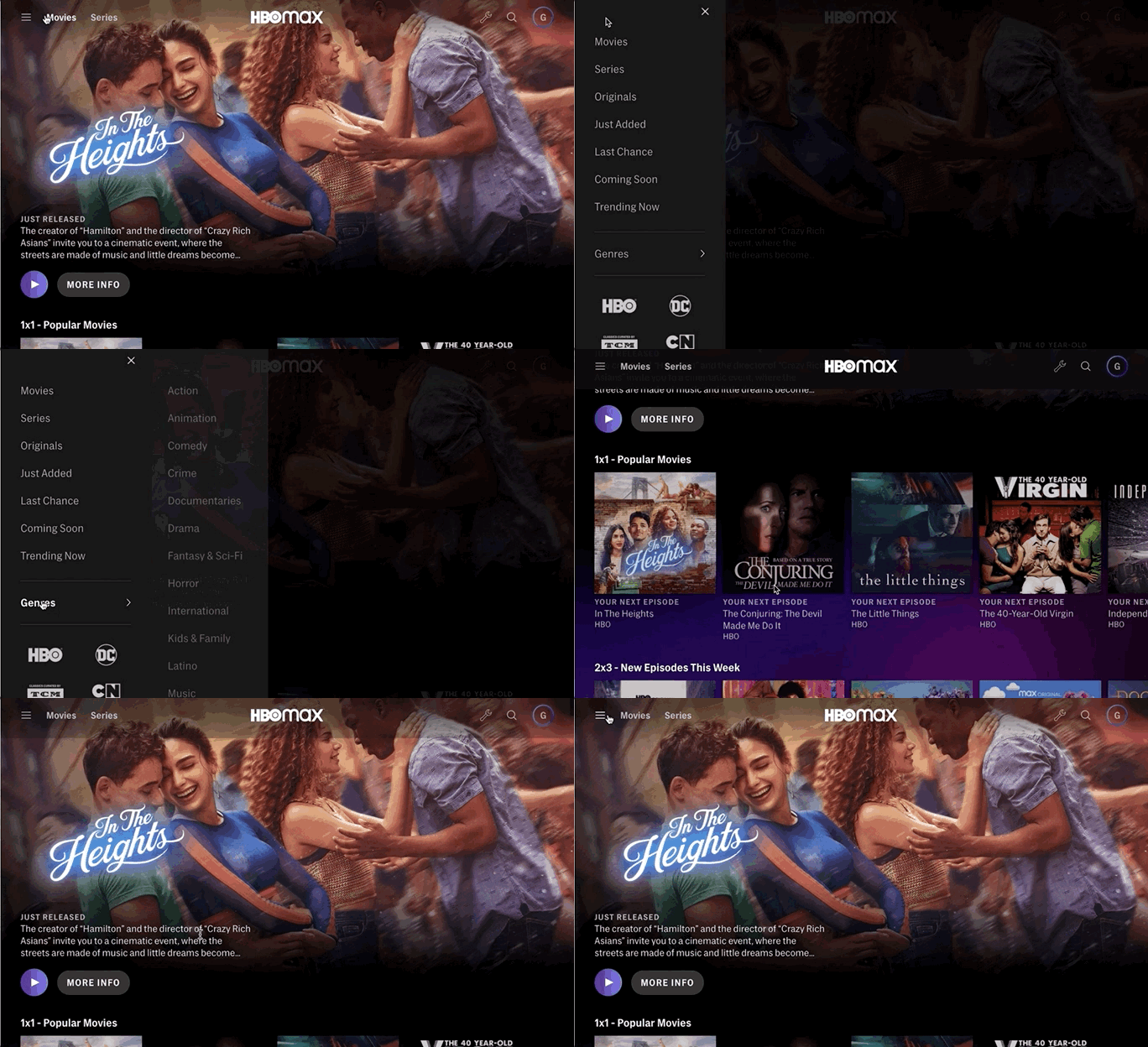
I was the primary architect and lead designer for the updated navigation to support our responsive mobile and web clients. I did most of the UX design and led efforts for visual design, motion design, and accessibility. Our goals were to update our navigation to be simple, responsive, and well-suited to the device the user was on. We created a navigation system that shared most primary components across phone, tablet and desktop with a few strategic variations to make the most of the capabilities of the different platforms.
Role
Lead Designer: Responsible for end-to-end UX architecture and coordination across all research, ideation, visual design, and prototyping activities.
This project redesigned HBO Max's navigation to support responsive mobile and web clients. The goals were to simplify navigation for better usability, create responsive layouts for XS to XL screens, enable accessibility for screen reader and keyboard-only users, and provide quick genre access — a frequently requested feature.
In a Nutshell
Most Fun
Balancing intricacy across the entire application while maintaining aesthetic appeal. The navigation touches every part of the product.
Biggest Challenge
Managing complexity across page types, breakpoints, languages, regions, subscription types, and backstack behavior.
In Retrospect
Would have created backstack visuals earlier — documentation alone wasn't sufficient for team alignment.
Customer Impact
- Responsive layouts improved experience across 7 desktop and 5 mobile breakpoints
- First-time accessibility support for assistive technology users
- Navigation system supported 12+ languages
Competitive Analysis
We began with a broad competitive analysis of streaming services and beyond, examining navigation patterns across the industry to identify best practices and opportunities.
Early Explorations
Three initial directional approaches were proposed, with multiple iteration rounds exploring different patterns. The explorations ranged from minimal changes to ambitious reimaginations of the navigation paradigm.
Chosen Direction
After many more iterations and explorations, we landed on the approach we would ultimately deliver. It built off of our existing navigational structure, while also elevating key features and simplifying our browse menu. Once this decision was reached we began pushing on the designs to make sure they would work across languages, at different breakpoints, and meet accessibility needs.
Animation & Interaction
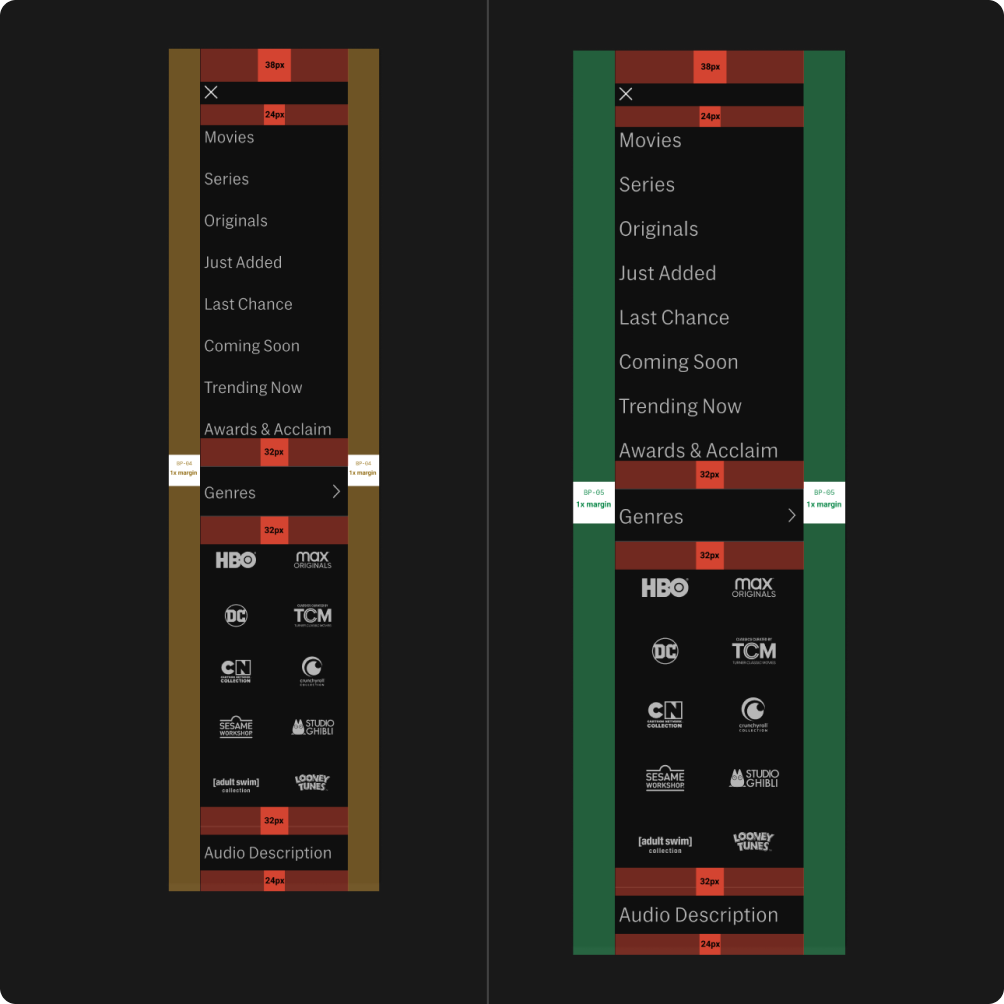
Once we had the overall direction decided and tested, it was time to work out the details. I led a team of designers in concert with our cross-disciplinary partners to capture the interaction design, visual design, motion, responsive behavior, and accessibility needs for a navigation system that would support 7 breakpoints on desktop and 5 on mobile. We created annotated wireframes, specs, redlines, and prototypes. We worked tightly with our design system to create new components and styles that would be needed for this work. Our spec was among the biggest our team had ever created, and ultimately served to support the work of three development teams who implemented the designs to great success.
Detailed Specifications
The final phase involved creating annotated wireframes, interaction specs, redlines for visual precision, interactive prototypes, and design system components — all supporting 7 desktop and 5 mobile breakpoints.
Interactive Prototype
An interactive prototype was built to demonstrate the full navigation experience across breakpoints and states, enabling engineering to understand the intended behavior.